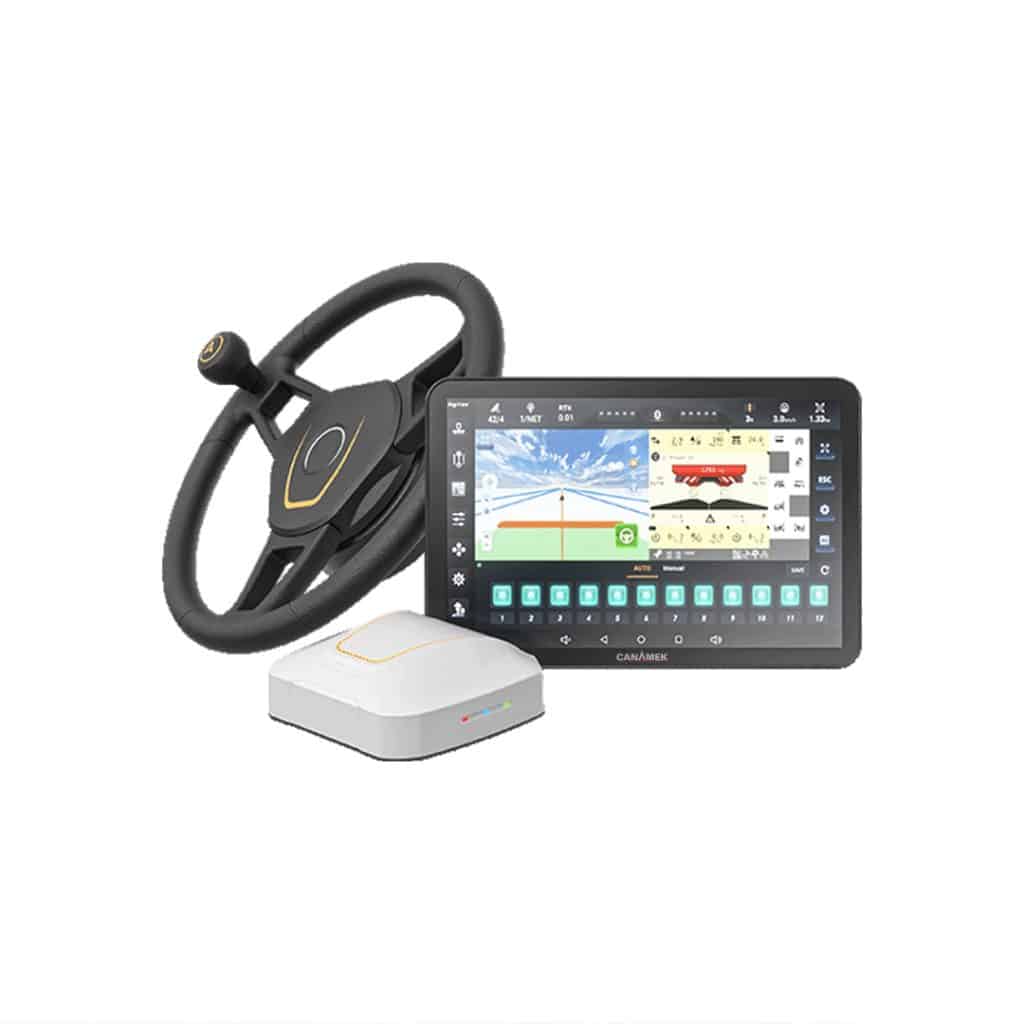
The CANAMEK X61 — GPS Auto Steering System for Tractors is the CHCNAV NX612 automated steering system offered by CANAMEK. It combines a GNSS receiver, an electric steering wheel and a cab-mounted control tablet to guide compatible agricultural vehicles along selected field paths. The system is designed for operations including soil preparation, seeding, planting, spraying, fertilizing and harvesting.
Once the vehicle and implement are configured, the operator selects a field and guidance pattern in AgNav software. The receiver supplies positioning information, and the steering motor adjusts the wheel to follow the selected route. Field guidance and operating status appear on the 12.1 in / 307.3 mm display, allowing the operator to monitor the job while the system handles routine steering corrections.
This tractor autosteer kit suits growers adding guidance to existing equipment and agricultural contractors working with different machines or field shapes. Its electric steering arrangement supports retrofit installation on compatible vehicles. RTK corrections provide the reference for precision guidance; additional positioning modes and optional software functions allow the installation to be configured around the farm’s correction coverage and operating requirements.
The NX612 connects machine setup, field planning, automatic steering and job records within AgNav.
Vehicle calibration, implement settings and correction quality all contribute to the result. The published operating speed range describes system capability; the machine, task and configured engagement limits determine the appropriate working speed.
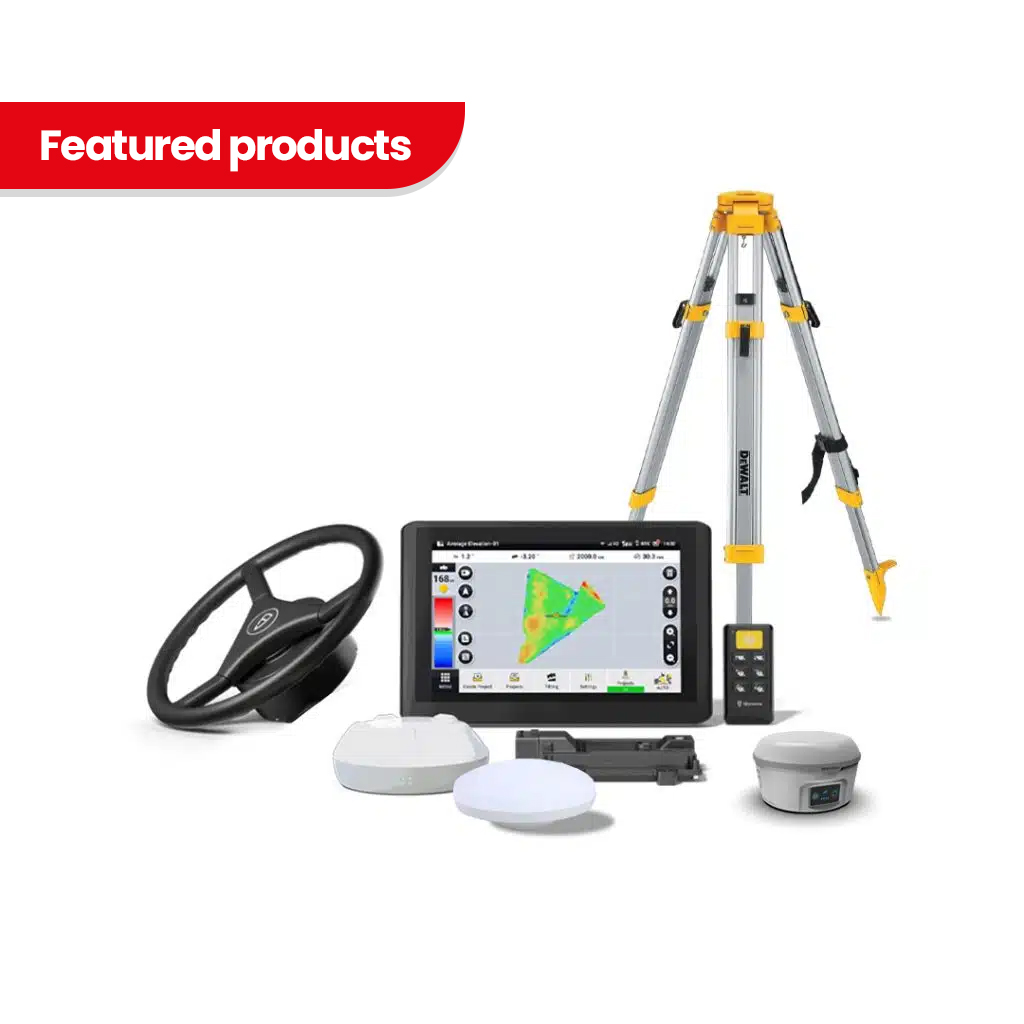
CHCNAV’s NX612 user manual lists the following standard hardware package. The CANAMEK order specification should identify the machine installation kit and any additional equipment or services selected for the purchase.
| Component | Model or description | Quantity |
|---|---|---|
| Electric steering wheel | CES-T | 1 |
| GNSS receiver | PA-5 | 1 |
| Control tablet | CB-H12 | 1 |
| Camera | X-MC011A | 1 |
| Ball holder | Tablet mounting component | 2 |
| Double socket arm | Tablet mounting component | 1 |
| Standard bracket | Steering installation component | 1 |
| T-bracket | Steering installation component | 1 |
| T mount kit | Parts A and B | 1 set |
| Integrated main cable | System wiring harness | 1 |
| Handle ball | Steering wheel accessory | 1 |
| Radio antenna | Correction radio antenna | 1 |
The system supports front-wheel-steered, rear-wheel-steered, articulated and tracked vehicles, as well as compatible rice transplanters and self-propelled sprayers. Installation must match the vehicle’s steering arrangement and mounting requirements. Existing steering condition also matters: excessive mechanical play must be addressed before calibration and field operation.
Provide the tractor make, model and steering type when requesting a configuration. This allows the installation hardware and intended operating functions to be checked against the actual machine.
RTK operation requires a compatible correction source. The system supports network corrections through CORS/NTRIP and radio reception from a compatible base station. CHCNAV also lists satellite correction support, including PointSky on its current NX612 product page.
A base station is not listed in the manufacturer’s standard hardware package. Network access, cellular service and satellite correction activation must be specified separately in the order where required. Choose the correction method according to local coverage, compatibility and the precision required for the work.
| Function or equipment | Configuration requirement |
|---|---|
| Advanced U-Turn | Additional software activation; vehicle and turning parameters must be configured. |
| ISOBUS functions | Additional activation, compatible implements and the required connections. |
| FarmMaster cloud services | Optional service access and a suitable internet connection. |
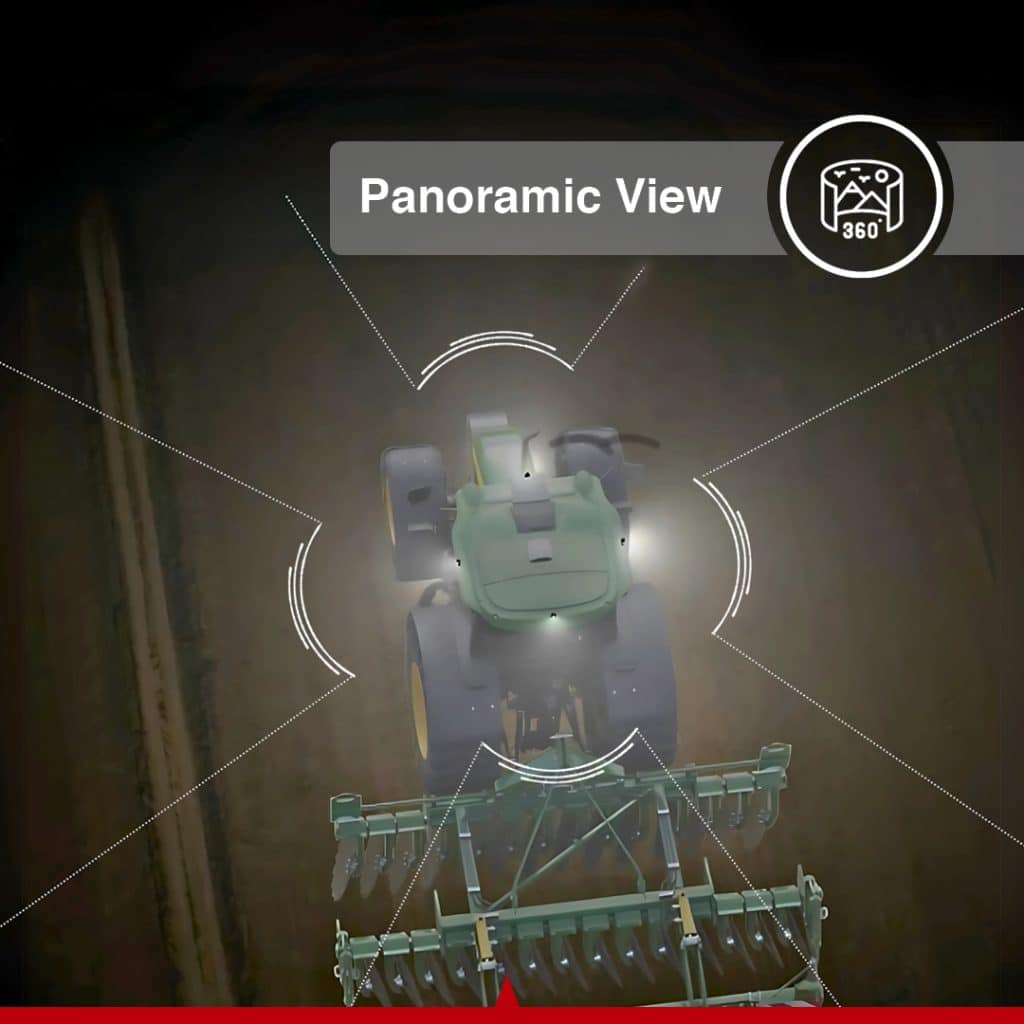
| Panoramic camera view | Additional compatible cameras and image calibration. |
| Implement guidance | Compatible implement guidance equipment, such as the CHCNAV IS100, configured for the NX612. |
| Satellite correction service | Supported receiver/software configuration, service coverage and the applicable activation. |
CHCNAV’s manual identifies additional charges for Advanced U-Turn, ISOBUS and cloud services. It also identifies paid activation for the SkyTrix service described in that manual. Current service names, license terms and selected options should be stated in the quotation.
The PA-5 receiver tracks signals from GPS, GLONASS, Galileo, BeiDou and QZSS, with L-band support for compatible satellite correction services. The NX612 platform supports SPP, DGPS, RTK, E-PPP and H-PPP positioning, together with CHCNAV satellite corrections. H-PPP uses Galileo E6-HAS.
For precision field guidance, the system is specified at ±0.98 in / ±2.5 cm horizontal accuracy. Use an appropriate correction service and a correctly calibrated installation to obtain the intended performance. Lower-precision positioning modes should not be treated as equivalent to a fixed RTK solution.
The operator can select the GNSS working mode and inspect positioning status in AgNav. This makes the correction connection part of the working setup, alongside the vehicle and implement configuration.
The CES-T steering assembly uses an electric torque motor to turn the steering wheel in response to guidance commands. Its rated torque is 5.16 lb-ft / 7 N·m, and the compact motor housing measures 6.50 in diameter × 2.28 in / 165 mm diameter × 58 mm.
Electric steering provides a retrofit route for supported vehicles. The installation replaces the original steering wheel with the NX612 assembly and requires the correct mechanical fit, mounting and calibration. Compatibility extends across several steering types, but the tractor model and existing steering condition must be assessed individually.
AgNav includes configurable manual override and automatic-steering engagement settings. The operator remains responsible for controlling the machine and supervising the operation.
The system provides nine guidance patterns:
These options let operators select guidance suited to the field and operation, from repeated straight passes to curved or irregular routes. AgNav also supports field boundaries, headlands, landmarks, access paths and tramline configuration. Saved vehicle, implement and field information can be reused or transferred through supported data functions.
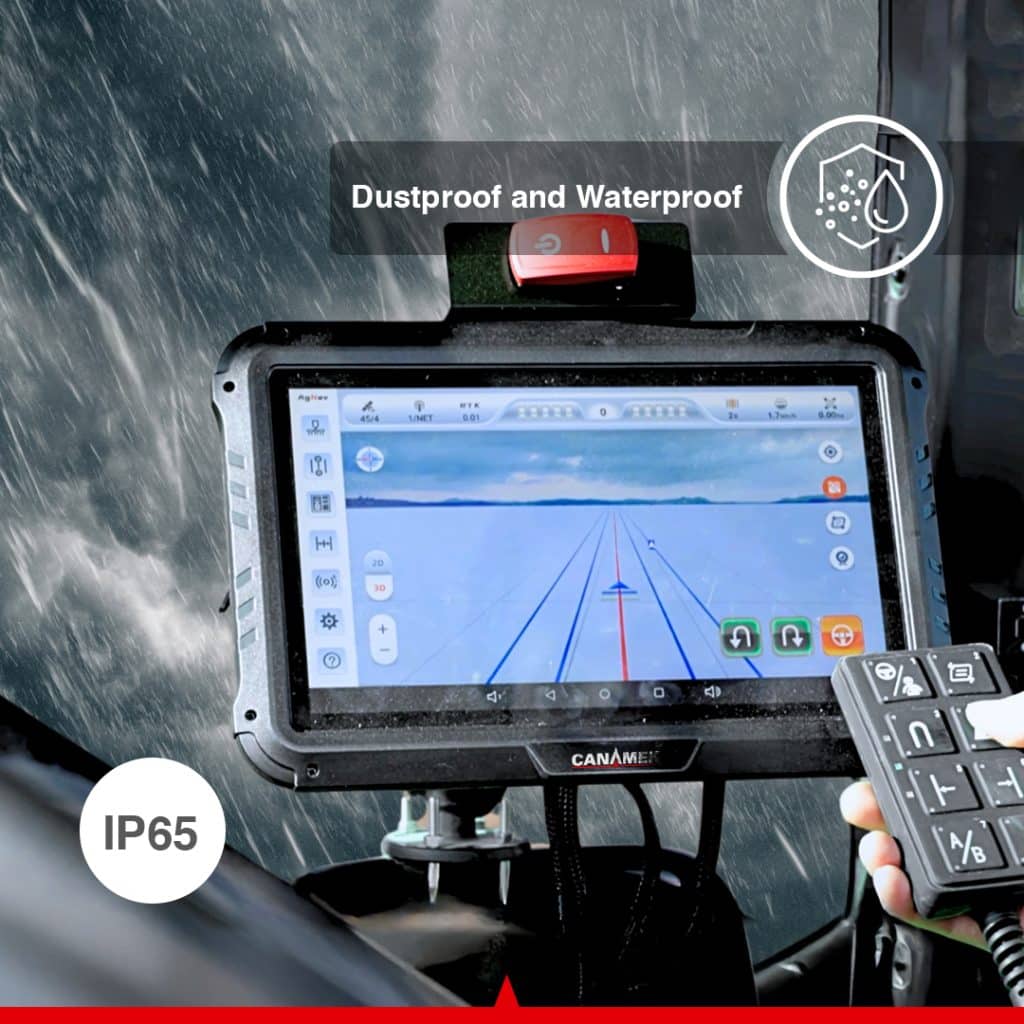
The CB-H12 tablet has a 12.1 in / 307.3 mm display, 1280 × 800-pixel resolution and brightness of approximately 218.9 fL / 750 nits. It runs Android 11 and provides the interface for machine setup, guidance selection and job monitoring.
Large icons, configurable shortcuts and 3D views help the operator access the information needed during field work. AgNav supports classic and professional interface modes, giving users a choice of screen arrangement. Vehicle profiles, implement settings, correction status and task information are managed from the same terminal.
The tablet is rated IP67 and operates from −4°F to +158°F / −20°C to +70°C. Its environmental rating is separate from that of the steering assembly; component-specific values appear in the specification tables.
With the required activation, Advanced U-Turn extends guidance into the turn between working passes. CHCNAV currently lists Basic AB Line U-turn, including skipping, A+ Line U-turn, Curve Line U-turn, Boundary U-turn and Headland U-turn.
The operator configures the turn method and relevant parameters in AgNav. Turn radius, row skipping and direction settings allow the function to be matched to the intended pass sequence. Correct vehicle geometry, implement clearance and field boundary setup remain essential to the operation.
Automatic turns can reduce repeated steering input at headlands. This is an optional licensed capability and must be included in the selected configuration.
The NX612 supports UT, AUX-N, TC-BAS, TC-SC and TC-GEO ISOBUS functions. With the appropriate activation and compatible equipment, the terminal can provide an implement interface alongside tractor guidance.
The documented functions include operating a compatible implement through the terminal, assigning implement commands to supported auxiliary controls, section control and prescription-based application control. TC-SC can switch compatible sections according to worked areas and field boundaries. TC-GEO supports application control using an imported prescription map.
These functions depend on the implement, its electronic control unit, the required wiring and the activated software. Automatic tractor steering alone does not provide section or application-rate control for every implement.
The manufacturer-standard package includes one X-MC011A camera for viewing the implement or another suitable area of the vehicle. The platform supports one to four camera inputs. A panoramic installation requires additional cameras and calibration.
For work where the implement itself moves away from the intended line, the NX612 supports compatible implement guidance equipment. CHCNAV identifies the IS100 as compatible with the NX612. It adds implement-position information to the configured guidance solution and can help address implement deviation on slopes or loose ground.
Camera expansion and implement guidance are separate configuration decisions. Select them according to the visibility and implement-tracking requirements of the job.
Manual steering requires continuous corrections to maintain pass spacing. The NX612 uses the selected guideline, GNSS positioning and electric steering control to keep the vehicle on its working route. Correctly configured implement width and offsets help the operator plan coverage around the equipment in use.
This can help limit unnecessary overlap and missed strips during field preparation, seeding and application work. Results depend on calibration, correction quality, implement behavior and field conditions; a tractor guidance accuracy figure is not a guarantee of the position of every part of a trailing implement.
Long passes and repeated turn sequences place a sustained steering demand on the operator. Automatic guidance handles routine wheel corrections, while an activated U-Turn function can assist with the transition to the next pass.
Reducing those repeated inputs can help reduce operator fatigue and allow more attention to implement performance and job status. The system is intended for supervised agricultural operation.
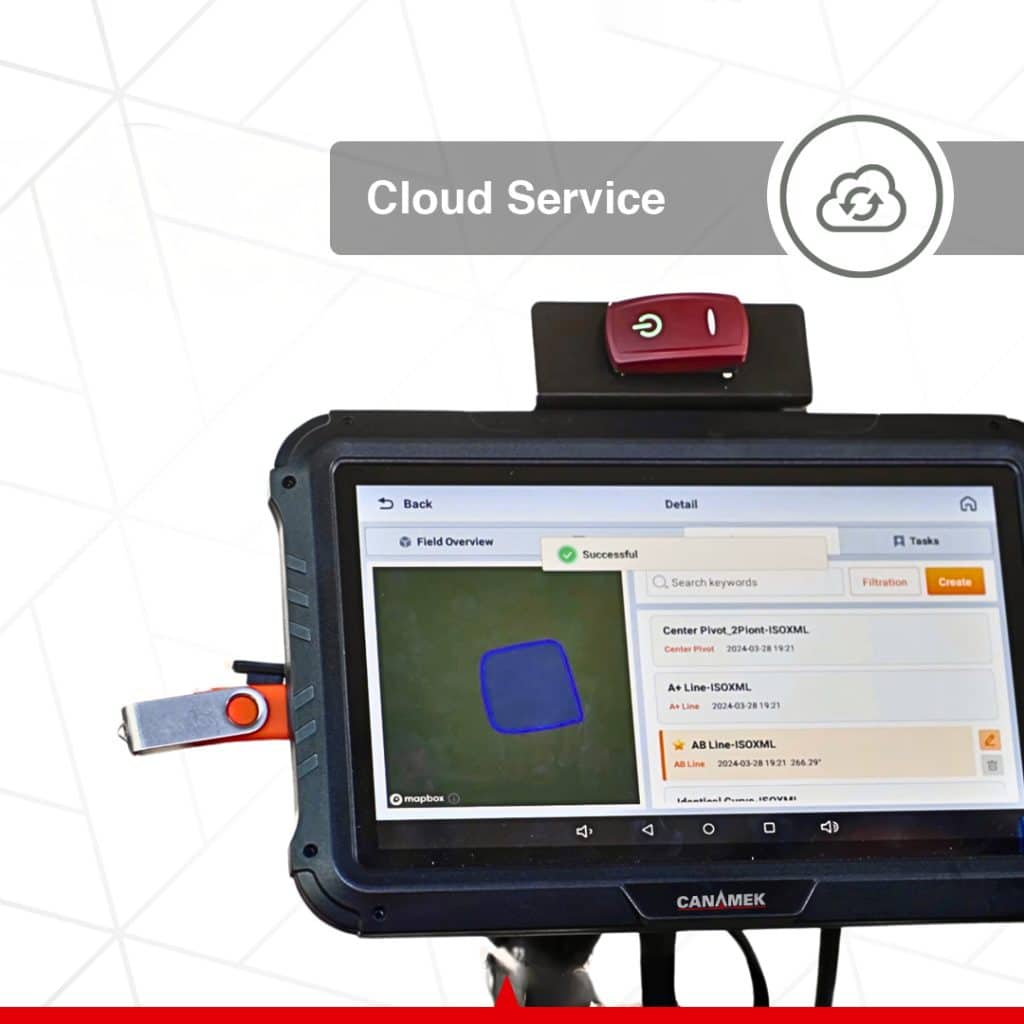
AgNav supports import and export of SHP and ISOXML files through its documented data exchange workflow. USB storage can be used for file transfer, and share codes can transfer supported vehicle, implement and field information between terminals.
Trajectory recording captures the vehicle’s actual track. The manual documents TXT, SHP and ISOXML export for recorded trajectory data. These records can support later review or compatible follow-up operations without requiring the operator to recreate every setup manually.
The platform provides Wi-Fi, Bluetooth, 4G LTE, CAN and RS232 connectivity. The correction radio operates in the 410–470 MHz receive band. Supported radio protocols include CHC, TT450, Transparent, SATEL and CHC-AG.
Connection requirements vary by function. Network RTK needs access to the selected correction service, while cloud functions and remote assistance need an appropriate data connection. Cellular bands and radio protocol support should be checked against the local service and base station.
FarmMaster provides an optional online connection between machines, fields, tasks and operating data. CHCNAV lists a dashboard, remote task creation, data transfer and location information among its functions. AgNav also documents cloud-connected teamwork for compatible units.
Cloud access should be selected as a service in the purchase configuration. Its availability does not establish that cellular data or service fees are included with the hardware.
AgNav includes a one-click software and firmware update function, remote assistance through an identification code and log upload for technical diagnosis. These tools support software maintenance and troubleshooting through the appropriate connection and support channel.
CANAMEK provides After-Sales Support, 7 Days a Week. Visit CANAMEK Support & Service for assistance with the supplied system.
The X61 supports the steering component of field operations throughout the crop cycle. Its application range includes land preparation, tillage, ridging, seeding, planting, fertilizing, spraying, inter-row cultivation and harvesting on compatible equipment.
The configuration should reflect the task. Straight-line seeding may prioritize fixed RTK guidance and repeatable implement settings. Spraying may benefit from activated ISOBUS section control with a compatible implement. Irregular fields may call for curve guidance, boundary setup and optional headland turns.
Compare related equipment in the CANAMEK auto steering systems range or contact CANAMEK with the vehicle model, implement and available correction service.
The NX612 combines the receiver, electric steering assembly, control tablet and camera in the manufacturer-standard package, with mounting components and the main system cable listed in its manual. The vehicle installation and selected licensed functions can then be specified for the intended operation.
The CANAMEK offering includes a 2-Year Free Warranty and After-Sales Support, 7 Days a Week. Software, correction and cloud-service options should be identified in the quotation so the initial equipment purchase and any ongoing service costs are clear.
The X61 brings positioning, electric steering and field guidance into one operator interface. Its value for an existing tractor lies in the combination: the GNSS receiver establishes location, AgNav defines and displays the route, and the steering motor follows the selected line.
For growers, this provides a practical route to automated guidance across several field operations. For agricultural contractors and mixed-fleet operators, configurable vehicle and implement records support work with compatible equipment and different field layouts. Optional turning, implement-control and cloud functions can be selected where the operation requires them.
The CANAMEK X61 is the CHCNAV NX612 automated steering system offered by CANAMEK. It combines a GNSS receiver, electric steering wheel, control tablet and AgNav software to guide compatible agricultural vehicles along selected field paths.
CHCNAV lists one CES-T electric steering wheel, one PA-5 GNSS receiver, one CB-H12 tablet and one X-MC011A camera. The standard package also lists two ball holders, a double socket arm, a standard bracket, a T-bracket, a T mount kit, an integrated main cable, a handle ball and a radio antenna. The CANAMEK order specification identifies the machine installation hardware and any selected additions.
A base station is not listed in the manufacturer-standard hardware package. RTK operation requires a compatible correction source, which may be a local base station or a network RTK service. Specify the required correction arrangement when ordering.
CHCNAV identifies Advanced U-Turn, ISOBUS and cloud services as functions with additional charges. Panoramic viewing requires additional cameras, and implement guidance requires compatible equipment. Satellite correction access also depends on the selected service and activation. The quotation should identify the functions and services included in the supplied configuration.
The GNSS receiver supplies positioning information, AgNav uses the selected guideline and vehicle configuration, and the electric steering motor adjusts the wheel to follow the route. The operator sets up the field and implement, engages guidance and supervises the vehicle throughout the operation.
No. It automates steering during suitable agricultural operations. The operator remains responsible for the vehicle, implement and surrounding conditions. AgNav includes configurable manual override and steering engagement controls.
The published horizontal RTK guidance accuracy is ±0.98 in / ±2.5 cm. Performance depends on the correction solution, installation, calibration and operating conditions. Receiver positioning specifications are separate measurements and should not be substituted for vehicle guidance accuracy.
No. SPP, DGPS, RTK and the supported PPP or satellite correction modes have different correction requirements and operating characteristics. Select the mode appropriate to the task and verify its positioning status. The RTK guidance figure should not be applied to every available GNSS mode.
CHCNAV lists a field operating range of 0.06–18.64 mph / 0.1–30 km/h. The usable speed for a particular job also depends on the machine, implement, calibration and configured automatic-steering limits. Ultra-low-speed operation requires the appropriate mode.
The NX612 supports compatible front-wheel-steered, rear-wheel-steered, articulated and tracked vehicles, including tractors, rice transplanters and self-propelled sprayers. Compatibility must be checked for the specific make, model, steering arrangement and installation hardware.
Yes, CHCNAV supports retrofit installation on compatible older tractors. The steering wheel connection, mounting arrangement, electrical supply and mechanical steering condition must be suitable. Steering wear or excessive play may need attention before installation and calibration.
The nine listed patterns are AB Line, A+ Line, Curve, Circular Curve, Irregular Rake Line, 90° Line, Boxed Line, All Path Line and Path Planning Line. AgNav also provides field boundary and implement setup tools.
Yes, with the required Advanced U-Turn activation and setup. CHCNAV lists Basic AB Line U-turn, including skipping, A+ Line U-turn, Curve Line U-turn, Boundary U-turn and Headland U-turn. Turning parameters must suit the vehicle, implement and available headland space.
The CB-H12 tablet has a 12.1 in / 307.3 mm display with 1280 × 800-pixel resolution and runs Android 11. CHCNAV AgNav provides the guidance interface, machine and implement configuration, field tools and operating records.
The NX612 supports UT, AUX-N, TC-BAS, TC-SC and TC-GEO. With the required activation, compatible implement and connections, TC-SC supports section control and TC-GEO supports prescription-based application control. These functions depend on the implement and selected configuration.
The platform supports one to four camera inputs. The manufacturer-standard package lists one X-MC011A camera. Panoramic viewing requires additional compatible cameras and calibration.
Yes, when configured with compatible implement guidance equipment. CHCNAV identifies the IS100 as compatible with the NX612. This adds implement-position information to the guidance solution; it is separate from the standard tractor steering hardware.
The manual documents SHP and ISOXML import and export. Recorded trajectory data can be exported in TXT, SHP and ISOXML formats. Supported transfer methods include USB storage and share codes for vehicle, implement and field information.
Yes. The NX612 supports CORS/NTRIP configuration. The operator enters the correction provider details in AgNav and checks for a fixed RTK solution before precision operation. Network correction access requires the applicable service and data connection.
No. Correction requirements depend on the selected positioning mode. The platform supports radio correction reception and compatible satellite correction services as well as network RTK. Cloud functions and remote assistance require an appropriate data connection, and network RTK requires access to its correction provider.
CHCNAV currently lists PointSky as a supported satellite correction service for the NX612. The February 2025 datasheet and manual use the SkyTrix name. The service, coverage, receiver configuration and activation available with the supplied system should be specified in the quotation.
The documentation does not establish that every function or service is included without ongoing charges. It identifies paid software options and satellite correction activation, while FarmMaster access is optional. Request a quotation that separates equipment, feature activation, correction access, cellular data and cloud-service terms.
The tablet, GNSS receiver and electric steering assembly are specified for 9–36 V DC. The steering motor has a rated current of 15 A and a peak current of 38 A. Installation wiring and power connections must follow the manufacturer instructions.
No. The tablet, receiver and camera are rated IP67. The electric steering wheel assembly is rated IP65. These ratings apply to the individual components and should not be presented as one IP67 rating for the complete system.
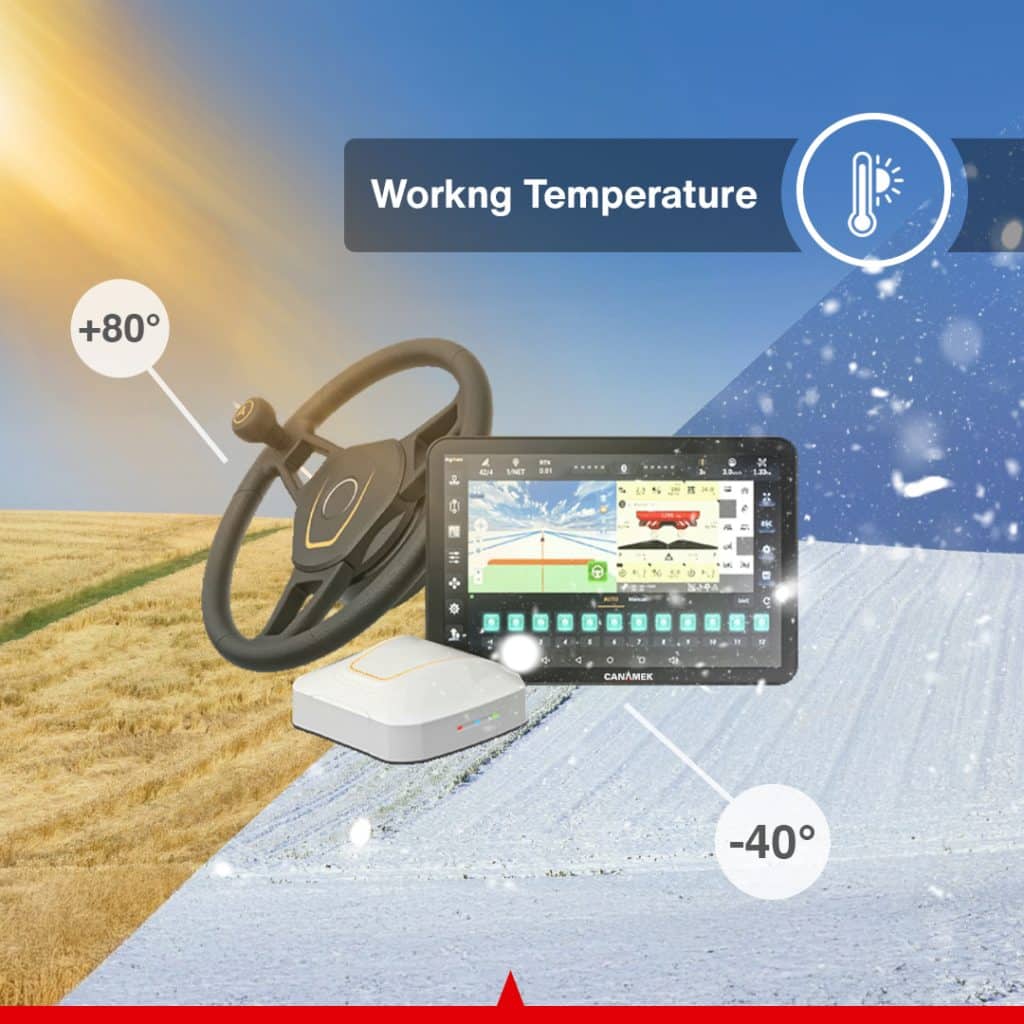
The tablet, receiver and camera are specified for −4°F to +158°F / −20°C to +70°C. The electric steering wheel assembly is specified for −40°F to +185°F / −40°C to +85°C. Component limits must be respected when operating the complete installation.
Yes. The manual documents remote assistance through an identification code, diagnostic log upload and a one-click software and firmware update function. The relevant connection and support arrangements are required.
CANAMEK provides a 2-Year Free Warranty and After-Sales Support, 7 Days a Week for this offering. The purchase documentation should identify the supplied hardware and selected software or service options.
*Imperial conversions are rounded
| Specification | Value |
|---|---|
| CANAMEK product name | CANAMEK X61 — GPS Auto Steering System for Tractors |
| Manufacturer platform | CHCNAV NX612 |
| CANAMEK SKU | CNMK-ASS-1029 |
| System type | GNSS automated steering system for compatible agricultural vehicles |
| Guidance software | CHCNAV AgNav; documented functions include AgNav 5.0 features |
| Guidance control | Integrated |
| Steering control | Electric |
| Published horizontal RTK guidance accuracy | ±0.98 in / ±2.5 cm; performance depends on correction status, installation, calibration and operating conditions |
| Supported field operating speed | 0.06–18.64 mph / 0.1–30 km/h; machine and software limits apply |
| Vehicle categories | Front-wheel steer, rear-wheel steer, articulated, tracked, rice transplanter and self-propelled sprayer; model compatibility must be checked |
| Guidance patterns | AB Line; A+ Line; Curve; Circular Curve; Irregular Rake Line; 90° Line; Boxed Line; All Path Line; Path Planning Line |
| Current GNSS modes listed by CHCNAV | SPP, DGPS, RTK, E-PPP, H-PPP and PointSky |
| H-PPP service | Galileo E6-HAS |
| Satellite correction terminology in February 2025 documentation | SkyTrix; current product page lists PointSky |
| Network RTK connection | CORS/NTRIP |
| Camera inputs | 1–4 channels |
| Advanced U-Turn modes | Basic AB Line, including skipping; A+ Line; Curve Line; Boundary; Headland; additional activation required |
| Supported ISOBUS functions | UT, AUX-N, TC-BAS, TC-SC, TC-GEO; activation and compatible equipment required |
| Cloud platform | Optional FarmMaster access |
| Compatible implement guidance extension | CHCNAV IS100; additional equipment and configuration required |
| Specification | Value |
|---|---|
| Display size | 12.1 in / 307.3 mm |
| Resolution | 1280 × 800 pixels |
| Brightness | Approximately 218.9 fL / 750 cd/m², equivalent to 750 nits |
| Operating system | Android 11 |
| Supply voltage | 9–36 V DC |
| Wi-Fi, 2.4 GHz band | 2.400–2.4835 GHz |
| Wi-Fi, 5 GHz band | 5.150–5.850 GHz |
| Bluetooth | Version 4.2 |
| LTE-FDD bands | B1, B2, B3, B4, B5, B7, B8, B12, B13, B18, B19, B20, B25, B26, B28 |
| LTE-TDD bands | B38, B39, B40, B41 |
| UMTS bands | B1, B2, B4, B5, B6, B8, B19 |
| GSM bands | B2, B3, B5, B8 |
| GNSS entry listed for tablet in datasheet | GLONASS L1, L2; main positioning receiver signals are listed separately below |
| Dimensions, W × H × D | 11.70 × 7.86 × 1.61 in / 297.1 × 199.7 × 41 mm |
| Weight | 3.31 lb / 1.5 kg |
| Operating temperature | −4°F to +158°F / −20°C to +70°C |
| Storage temperature | −40°F to +185°F / −40°C to +85°C |
| Dust and water protection | IP67 |
| Specification | Value |
|---|---|
| BeiDou signals | B1I, B2I, B3I, B1C, B2a, B2b |
| GPS signals | L1C/A, L2P(Y)/L2C, L5 |
| GLONASS signals | L1, L2 |
| Galileo signals | E1, E5a, E5b, E6 |
| QZSS signals | L1, L2, L5 |
| Additional signal band | L-band |
| Receiver RTK horizontal accuracy | ±0.315 in + 1 ppm RMS / ±8 mm + 1 ppm RMS |
| Receiver RTK vertical accuracy | ±0.591 in + 1 ppm RMS / ±15 mm + 1 ppm RMS |
| Correction radio receive frequency | 410–470 MHz |
| Radio protocols | CHC, TT450, Transparent, SATEL, CHC-AG |
| LTE-FDD bands | B1, B2, B3, B4, B5, B7, B8, B12, B13, B18, B19, B20, B25, B26, B28 |
| LTE-TDD bands | B38, B39, B40, B41 |
| UMTS bands | B1, B2, B4, B5, B6, B8, B19 |
| GSM bands | B2, B3, B5, B8 |
| Supply voltage | 9–36 V DC |
| Dimensions, W × H × D | 8.19 × 7.52 × 2.87 in / 208 × 191 × 73 mm |
| Operating temperature | −4°F to +158°F / −20°C to +70°C |
| Storage temperature | −40°F to +185°F / −40°C to +85°C |
| Dust and water protection | IP67 |
Receiver positioning accuracy and vehicle guidance accuracy describe different measurements. The receiver's RTK figures do not replace the system's published guidance specification.
| Specification | Value |
|---|---|
| Motor type | Torque motor |
| Rated torque | 5.16 lb-ft / 7 N·m |
| Rated speed | 120 rpm |
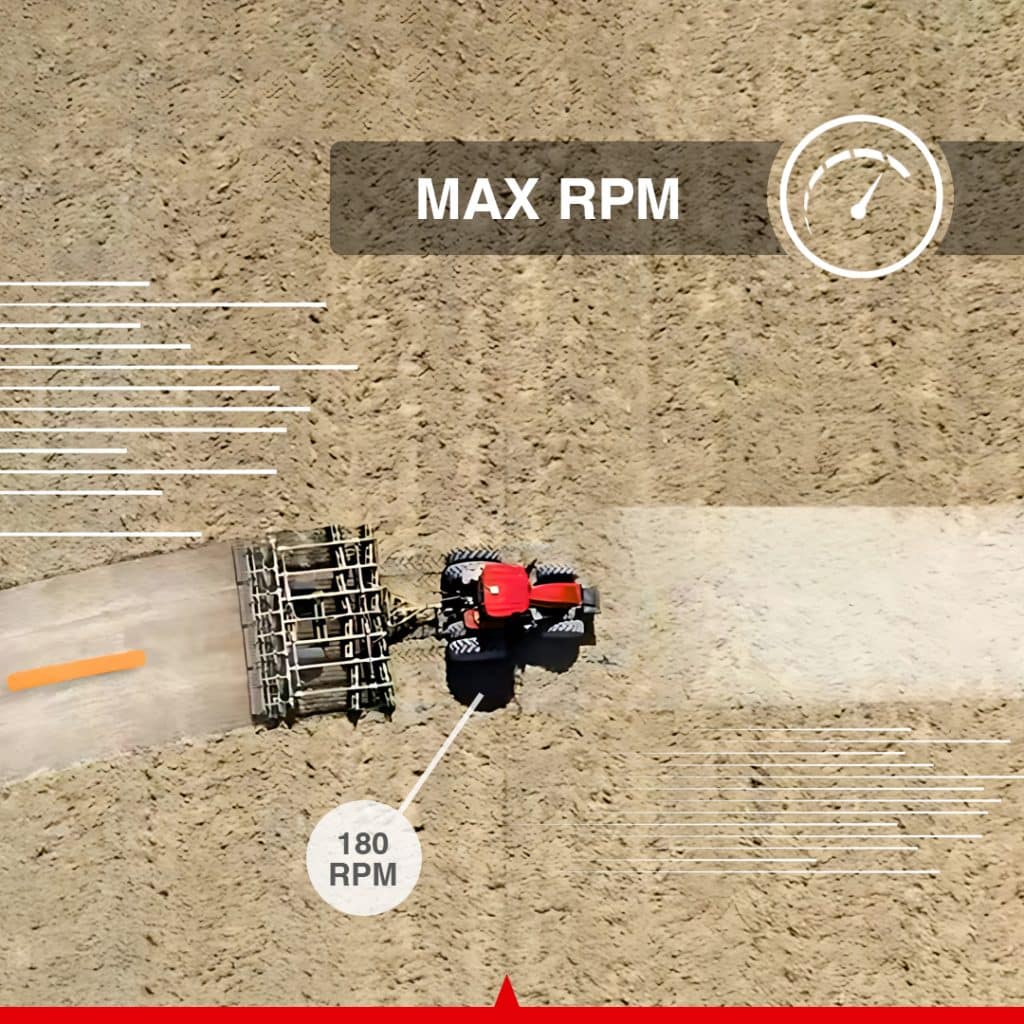
| Maximum speed | 180 rpm |
| Rated current | 15 A |
| Peak current | 38 A |
| I/O | 1 × CAN / tractor horn |
| Supply voltage | 9–36 V DC |
| Motor dimensions | 6.50 in diameter × 2.28 in / 165 mm diameter × 58 mm |
| Motor weight | ≤8.38 lb / ≤3.8 kg |
| Steering wheel diameters listed by manufacturer | 15.75 in / 400 mm or 14.17 in / 360 mm; supplied size depends on configuration |
| Operating temperature | −40°F to +185°F / −40°C to +85°C |
| Storage temperature | −40°F to +185°F / −40°C to +85°C |
| Dust and water protection | IP65 |
| Specification | Value |
|---|---|
| Manufacturer-standard package quantity | 1 |
| Resolution | 1920 × 1080 pixels |
| Video output | AHD |
| White balance | Automatic |
| Exposure control | Automatic |
| Field of view | 150° |
| Operating temperature | −4°F to +158°F / −20°C to +70°C |
| Dust and water protection | IP67 |
| Specification | Value |
|---|---|
| Field setup | Vehicle and implement profiles, fields, boundaries, headlands and guidelines |
| Additional field tools | Landmarks, access paths, tramlines and trajectory recording |
| Documented file import/export | SHP and ISOXML |
| Documented trajectory exports | TXT, SHP and ISOXML |
| File transfer | USB storage and supported share-code workflows |
| Platform interfaces | CAN and RS232; Wi-Fi, Bluetooth and 4G LTE |
| Remote assistance | Identification-code connection and diagnostic log upload |
| Update function | One-click software and firmware upgrade |
| Additional licensed functions | Advanced U-Turn, ISOBUS and cloud services, according to selected configuration |
| Operator controls | Configurable steering engagement limits, manual override and motor-button control |
| Warranty | 2-Year Free Warranty |
| CANAMEK support | After-Sales Support, 7 Days a Week |
Guide a compatible tractor along planned passes during plowing, harrowing or cultivation. Implement-width and offset settings help establish the working pattern, while automatic steering can help maintain coverage without continuous manual wheel corrections.
Use RTK guidance to follow selected seeding or planting lines. Consistent vehicle guidance can support more orderly pass spacing when the tractor, implement and correction source are correctly configured.
Guide tractors or compatible self-propelled sprayers through the field using straight or curved routes. With activated ISOBUS functions and compatible application equipment, section control and prescription-based operation can be added to the steering workflow.
Follow a defined route during ridging or cultivation between crop rows. The operator selects the appropriate guideline and implement settings for the operation; required working clearance and implement tracking must be checked for the crop and equipment.
Configure the system for a compatible rice transplanter and use automated guidance during planting passes. The platform's low-speed capability supports suitable applications, with the actual working speed set according to the machine and field conditions.
Use curve and other supported guidance patterns where a straight AB line does not suit the field layout. Boundaries, access paths and saved guidelines help organize the route around the intended cropping arrangement.
Guide a compatible harvesting vehicle along planned field paths. Camera monitoring can assist with viewing the configured area of the machine or implement while the operator supervises crop handling and vehicle movement.
Maintain vehicle, implement and field records for compatible equipment used on different jobs. Supported data transfers and optional cloud tools can help agricultural contractors share job information and reuse configured guidance data.
Combine the NX612 with compatible implement guidance equipment when lateral implement movement needs to be addressed. This configuration supports work such as seeding or cultivation where the implement's path matters as well as the tractor's steering line.
Be the first to review this product.
Every unit ships with everything needed to put it to work in under an hour.
Get sizing help and tech answers from a real human, in <2 min.
Call +1 (855) CANAMEKTell us your acreage and crop, get a turnkey estimate in 24 hours.
Email sales →




Write a review